.png@format=1500w)
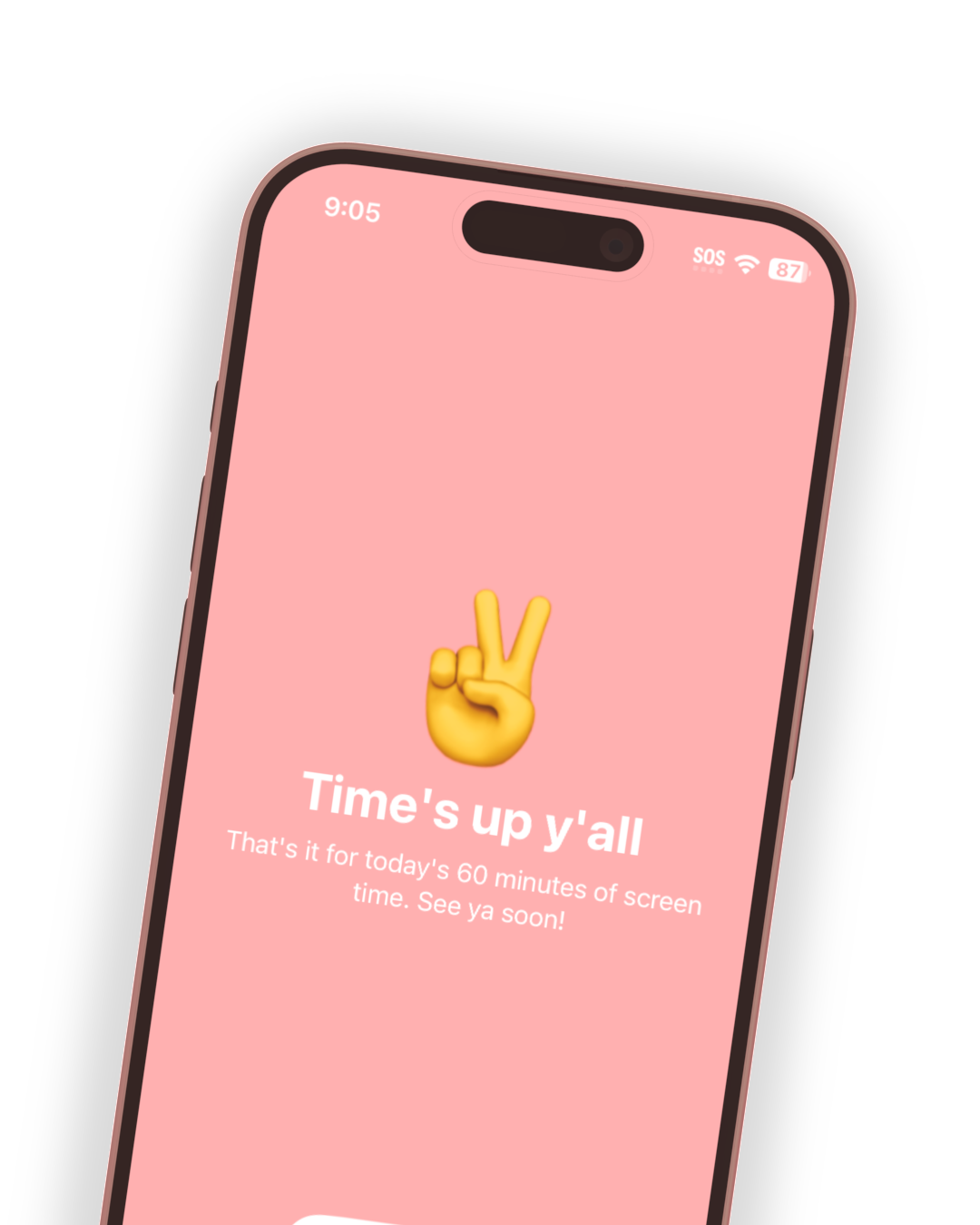
Self-control, not parental control
Screenable empowers kids to safely practice self-control and responsibility through trust and teamwork with parents. It’s designed by parents, psychologists, and technologists for today’s families. 🙌
The phone for
“the anxious
generation”
Learn more ➜

or learn more 👇
-
I love how easy and intuitive it is to use. Highly recommend it for any parent!
-
I haven’t met a parent who doesn’t need this for themselves. I’m totally hooked on not being hooked, and my kiddos actually love it!
-
I used the “dumb phone” mode to turn an old iPhone into a camera for my six year old. Super easy setup, works perfectly, and he loves it.
-
Highly recommend for parents looking to smartly navigate their child’s first steps into smartphone usage!
-
Screenable is a game-changer for families. . . . I recommend it to any parent looking to improve their family's digital life.
-
It’s the perfect iPhone onboarding app to make sure my kids stay safe while still learning how to use technology in healthy ways.
-
As a mother of 4 kids ages 3 through 13, I've been gatekeeping screen time for my kids for well over a decade! . . . Just download the app, you won't regret it!!!
-
I can use the old iPhone we have around our house and the app turns it into a dumb phone! . . . Such an awesome app, so grateful for this!
-
SUPER USER FRIENDLY (if I can do it anyone can) app for parents to transform kids’ smartphones into whatever-level-of-dumb that they want!
How it works 👇
Screenable is a screen time management app that reimagines parental controls by empowering kids to safely practice self-control. Currently for iPhones & iPads.
🧑🤝🧑
1 Create an account
Install the parent app, and set up your family profile.
📲
2 Sync kids’ devices
Install the kid app and choose a preset mode for each device.
🎁
3 Manage remotely
Easily update settings when needed and as kids grow.
🤔
4 Stay in the know
Get notifications and reports, with tips for your family.
Let’s end
the anxious
generation. 👊
In 2024, Jonathan Haidt published The Anxious Generation. It instantly became a bestseller.
The book paints a picture of a generation of kids lost to their screens. He urges parents to delay access to full smartphones and social media for kids.
Screenable makes it incredibly easy to align with these recommendations, starting with Dumb Phone mode (and coming soon Social Trainer mode). These simple presets allow you to easily adapt settings for your family.
Modes for each age & stage
👇 Simplify screen time with 4 modes that grow with your kids. 👇
Media Player*
A shared family iPhone or iPad for playing music, videos, or games. Keeps parents aware of how it’s being used, while eliminating distractions.
Ages 5-9

Dumb Phone
An iPhone with just calling, Messages, location sharing and a few more apps you choose. A great alternative to Apple Watch or a flip phone.
Ages 10-12

Screen Trainer
A starter iPhone or iPad for practicing healthy screen time habits with modern, trust-based parental controls. Includes notifications & reports.
Ages 13-15
Social Trainer*
An iPhone or iPad focused on slowly introducing kids to social media. Parents stay in the know with reports & notifications, for high-level awareness.
Ages 16+

Age ranges are suggestions – you know your kids best!
(* = mode coming soon)
MODE HIGHLIGHT
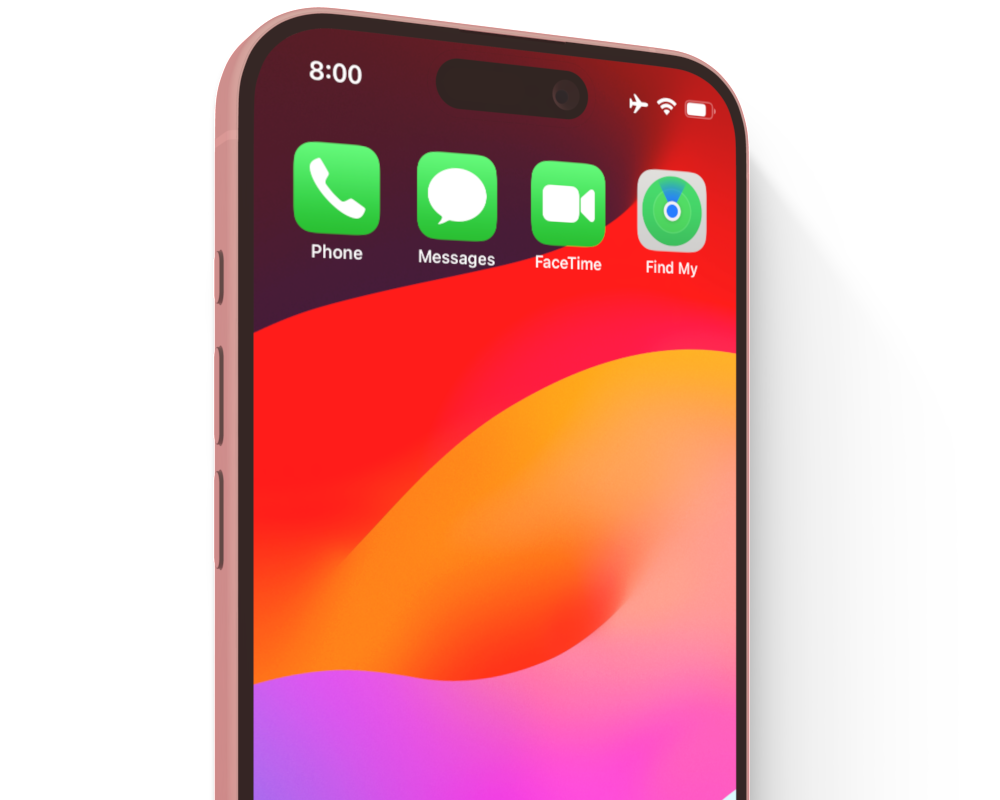
Dumb Phone
The anti-smartphone. Convert any iPhone into a classic “flip phone” with nothing more than Phone, FaceTime, Messages, location sharing, and any other apps you choose.
Start with Dumb Phone mode and adjust settings to grow over time with your kid. Best for kids getting their own device for the first time – and a great alternative to Apple Watch.
MODE HIGHLIGHT
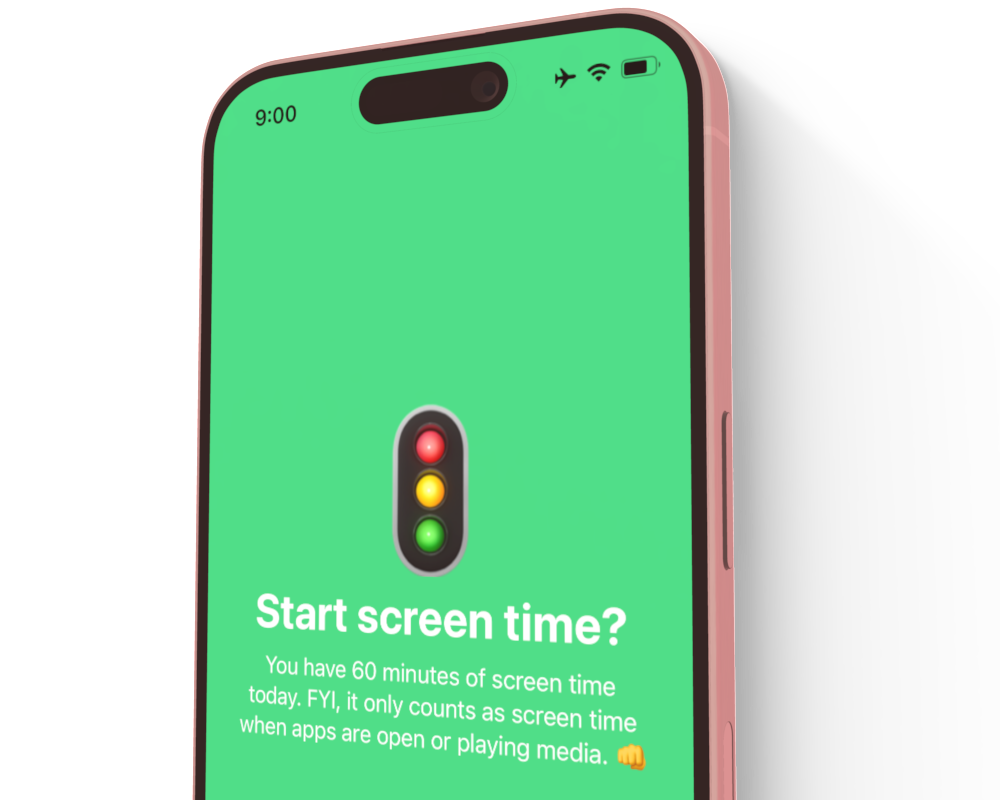
Screen Trainer
The new approach to parental controls that lets kids practice self-control. Best for kids starting the transition to independent use of an iPhone or iPad.
Includes features like Overtime for letting kids practice staying within daily time limits while parents stay in-the-know, pre-screen checklists to help build kids’ executive functions, and other smart twists on typical parental controls.
FEATURE HIGHLIGHT
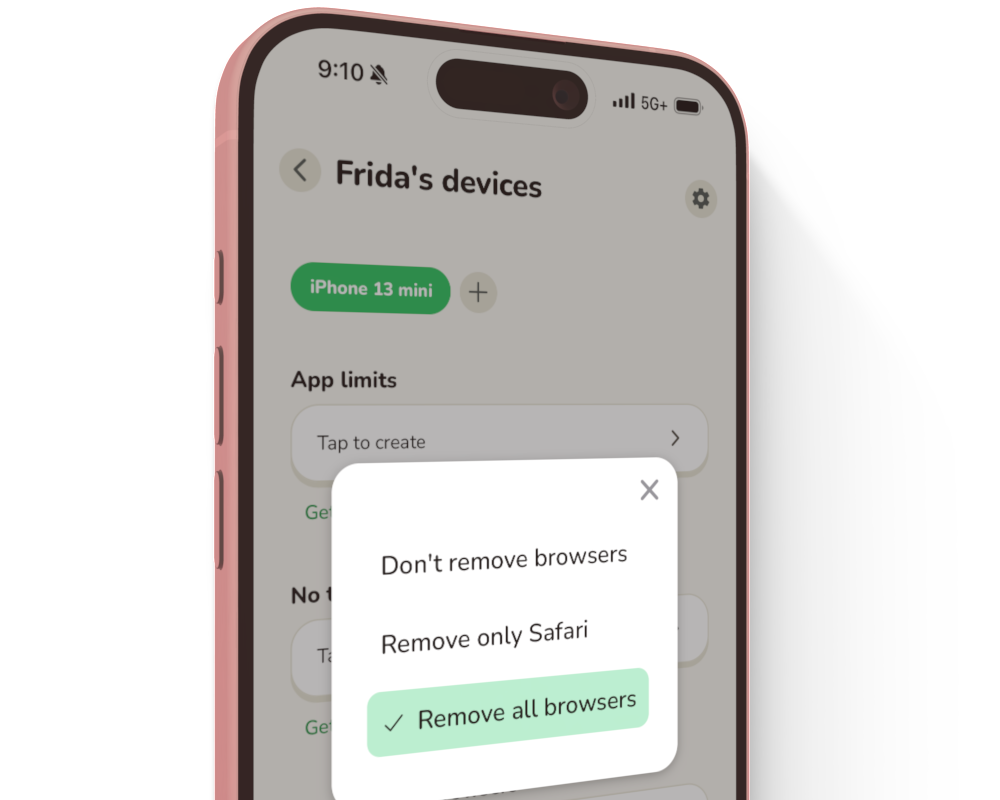
Remove the internet, App Store, camera & more
With one tap, remove the App Store, the camera, Safari, or any other internet browsers from your kids’ devices. Take away distractions until kids are ready for them.
When you’re ready to enable them, follow an easy process and go through our structured conversations to prepare your kids for their new privileges. If kids struggle, you can still pause the internet at any time.
FEATURE HIGHLIGHT
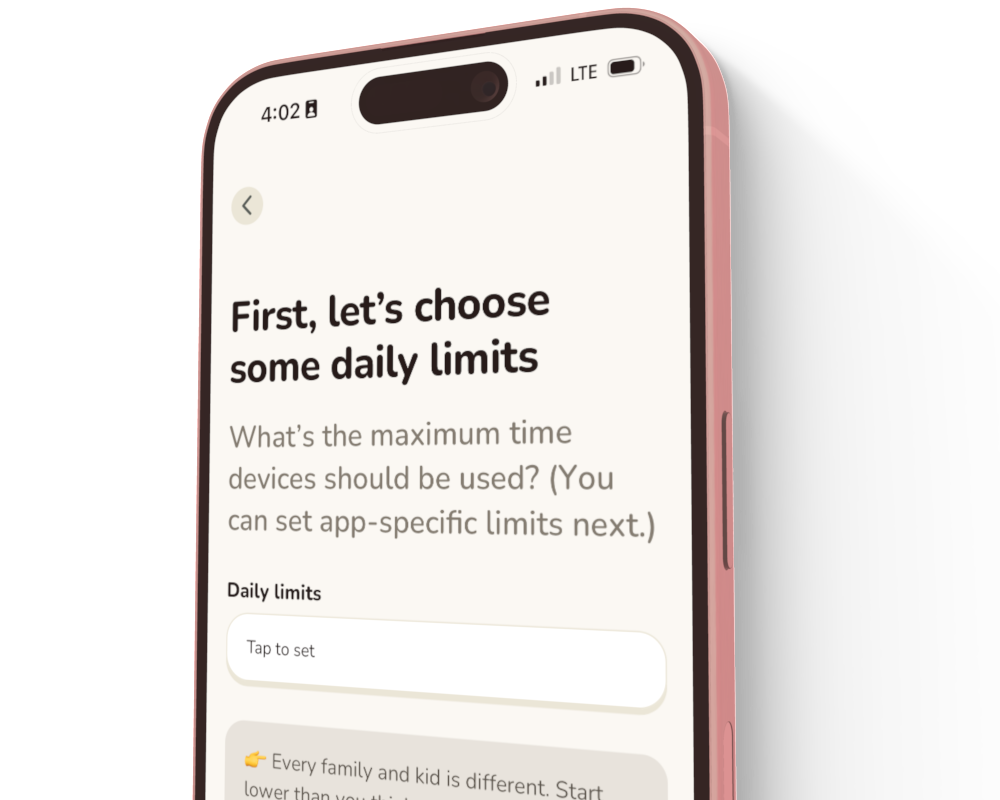
Guided setup & experience
Get guidance and parental advice at every step. Read best practices and learn what’s worked for other families so that you feel confident things are set up just right.
Every step during setup has additional details and articles for the parents who want to dive deep. It’s all research-backed and ready to support modern parenting styles and challenges.
WHY SCREENABLE
The best “first phone” for Apple families
➜ No new devices or data plans required.
Don’t get a new Apple Watch or phone – just add Screenable to any ol’ iPhone or iPad (list). Whether on WiFi only or added to your existing family plan, setup is easy peasy.
➜ All things Apple, for you and the kids.
Use FaceTime, iMessage with blue bubbles, and location sharing in Find My. Share family services like iCloud storage or Apple Music. You and the kids stay within Apple.
➜ Dummy-proof and one-tap easy.
In just a tap, fully convert a device to a dumb phone, social-free phone, and more. Fully guided setup, easy to change as kids grow. Fantastic customer service if things go sideways.
THE DIFFERENCE
What will your kid’s first smart device be?
Screenable
✅ Designed for today’s parents, follows every major advisory
✅ Installs on your existing iPhones/iPads (list)
✅ Easy, guided setup with preset modes for key needs
✅ Notifications & reports
✅ Darn affordable
Apple Watch
❌ Expensive, starts at $249
❌ Hard to take phone calls, no private or quiet calls
❌ Single purpose, can’t be repurposed for other family needs
❌ Doesn’t grow with kids, quickly gets outdated

Apple Screen Time
❌ Old-school parental controls, not recommended by the AAP
❌ Convoluted settings on 20+ screens
❌ No notifications or email reports
❌ Brittle, doesn’t adapt to life
FAQs
-
Screenable is a screen time management app that reimagines parental controls by empowering kids to safely practice self-control. Designed by parents, psychologists, and technologists, Screenable grows with today’s families through each developmental stage, giving parents confidence and peace of mind.
The app is designed with simple modes for each stage as kids grow, from shared iPads to a kid’s first phone. It’s research-backed and family-tested, making it easy for parents to follow all major screen time advisories, such as those from the U.S. Surgeon General, Dr Becky (Good Inside), and Jonathan Haidt (The Anxious Generation).
-
To get started, you just install the kid app on each kid’s device, select a mode, and walk through a simple setup. Learn about the modes you can choose, what kids experience with Screenable, or our subscription plans. It's a great replacement for an Apple Watch or other kid phone.
-
There are various kid phones out there built on Android (generally Samsung phones). But Apple families stand to benefit a lot by keeping their kids on the same platform:
Facetime
Messages with blue bubbles and advanced features
Find My that shows kid / kid's device (rather than needing yet another app)
Shared services like Apple Music and iCloud storage
iOS / iPadOS consistency and familiarity, e.g. with features like Airdrop
Best-in-class privacy and security practices
-
In Jonathan Haidt's 2024 landmark book The Anxious Generation, he lays out his Four Norms for safe and healthy kids online:
No smartphones before high school
No social media before 16
Phone-free schools
More independence, free play, and responsibility in the real world
Screenable handles #1 through its free "Dumb Phone mode", which removes the "smartphone" from any iPhone. It handles #2 by allowing parents to block all Social Media apps with just a tap (coming soon). It handles #3 by easily setting up schooltime schedules that disable phones. And for #4, well, that's on all of us parents. 😊
-
Converting any device into a dumb phone is totally free! Other modes that send notifications and weekly reports have a reasonable monthly subscription price. See pricing for more details.
-
Yes! With just a tap you can block web browsers entirely, including Safari and the 40 or so most popular browser apps. (This is the default for Dumb Phone mode.) Or alternatively you can allow browsers but block adult and inappropriate content. (We also automatically block incognito mode and private browsing for you.)
-
Apple Screen Time is a traditional parental control solution that lets parents set schedules and limits to block device usage. The best things about it are that it’s free and built-in.
However, it has some major shortcomings. Besides just being broken quite often and incredibly hard to use, it doesn't let parents do what they really need to – like for example, easily customize a simple, pared-down "dumb phone" for their kids to get started with. Plus it sends no screen time usage notifications nor regular reports.
Screenable is built on the same underlying technology as Apple Screen Time, so it's as "built-in" to Apple devices as it can get, but it avoids the vast majority of Apple's shortcomings while also providing a rich set of easy-to-use features for parents to raise safe, tech-healthy kids.
-
(Firstly, note that the Bark Phone is Android-only.)
Bark is a parental controls solution that got its start monitoring kids’ social media to alert parents about posts that could be harmful, which is where it excels. It can be a good tool for kids of certain ages and situations.
Screenable does not monitor kids' text messages or social media posts. Instead, it's about providing more pared-down alternatives to keep device usage limited in the first place. Kids might eventually "graduate" from Screenable into a service like Bark.
-
For now, kids and parents must have iPhones or iPads (iOS 15+, i.e. from 2014+). We may expand to Macbooks in the future, and possibly even Android/Kindle devices. Let us know your needs, and in the meantime learn more about specific compatibility ➜
-
As many as you like! (Well hang on – how many kids do you have?? 😉) Contact us if you have any questions.
-
We use the Apple Screen Time API to manage and measure app and device usage. The platform is built on solid privacy principles, keeping your (and your kids’) data well protected. Due to their limitations, however, we sometimes can’t support everything we’d like – but they are improving the API over time which should open up more capabilities in the future.
-
Privacy is deep in the ethos of our company. In order to provide the Screenable service, we collect and use device information and app usage data (such as screen time) from your child’s device. We will not disclose this information to third party entities except when required by law or to run our service. We may also disclose anonymized, aggregate data. Please read more in our Privacy Policy, and let us know if you have any questions!
About us
We’re two techie families and brothers from Seattle.
We’ve started hundred-person companies and worked on family-tech issues at Google Nest. We’ve been at this a few decades. Learn more about us ➜
Now, as parents, we’ve realized there’s nothing out there that works for the way we want to parent. So we decided to build it. We hope you like it.
Any questions? Please contact us ➜